
Billing → Subscriptions is where everything about your current plan lives - status, renewal, usage, and the page you'd come to in order to cancel or reactivate.
My Subscriptions
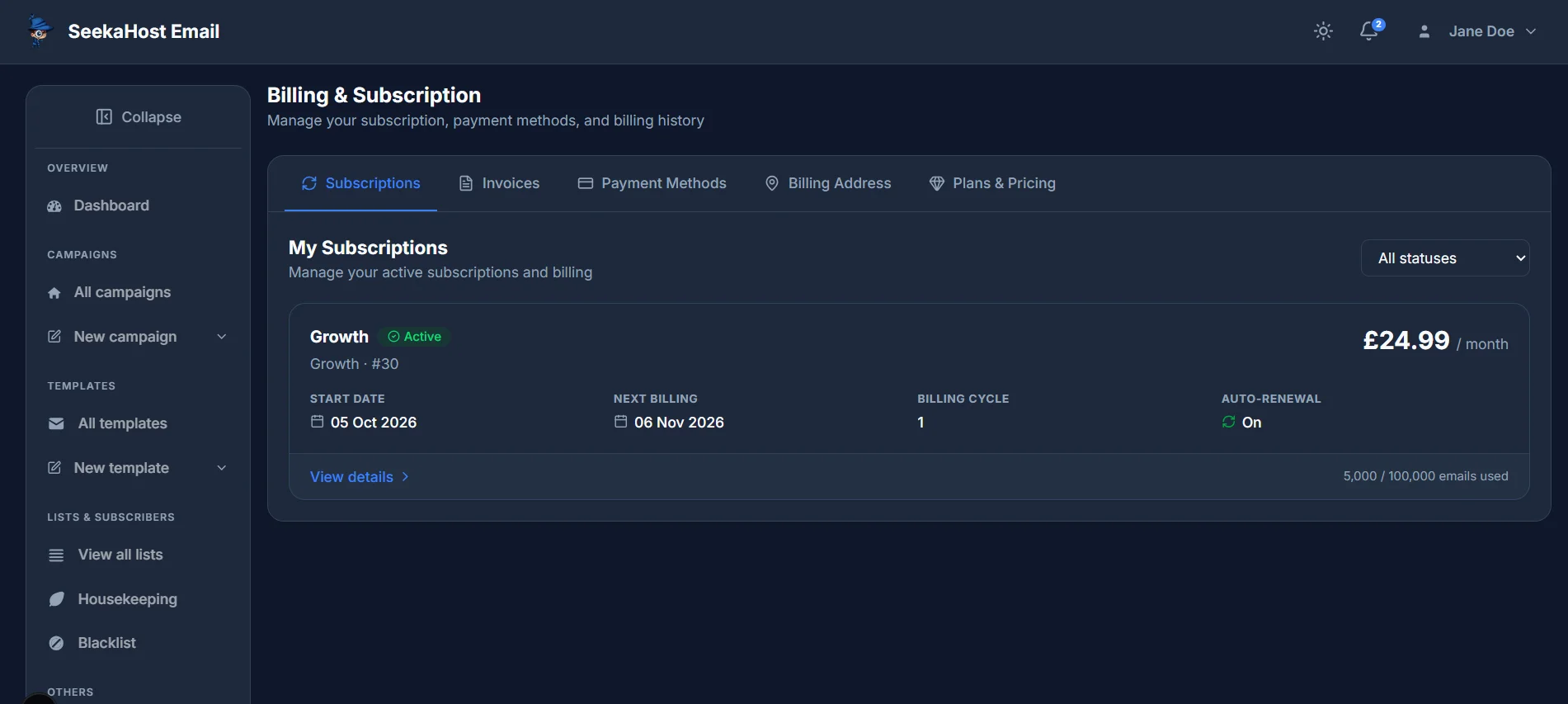
The list shows each subscription as a card: its plan name and status, the price, start date, next billing date, billing cycle and whether auto-renewal is on, plus how much of your monthly email allowance you've used. Click View details to open it.
The subscription detail page
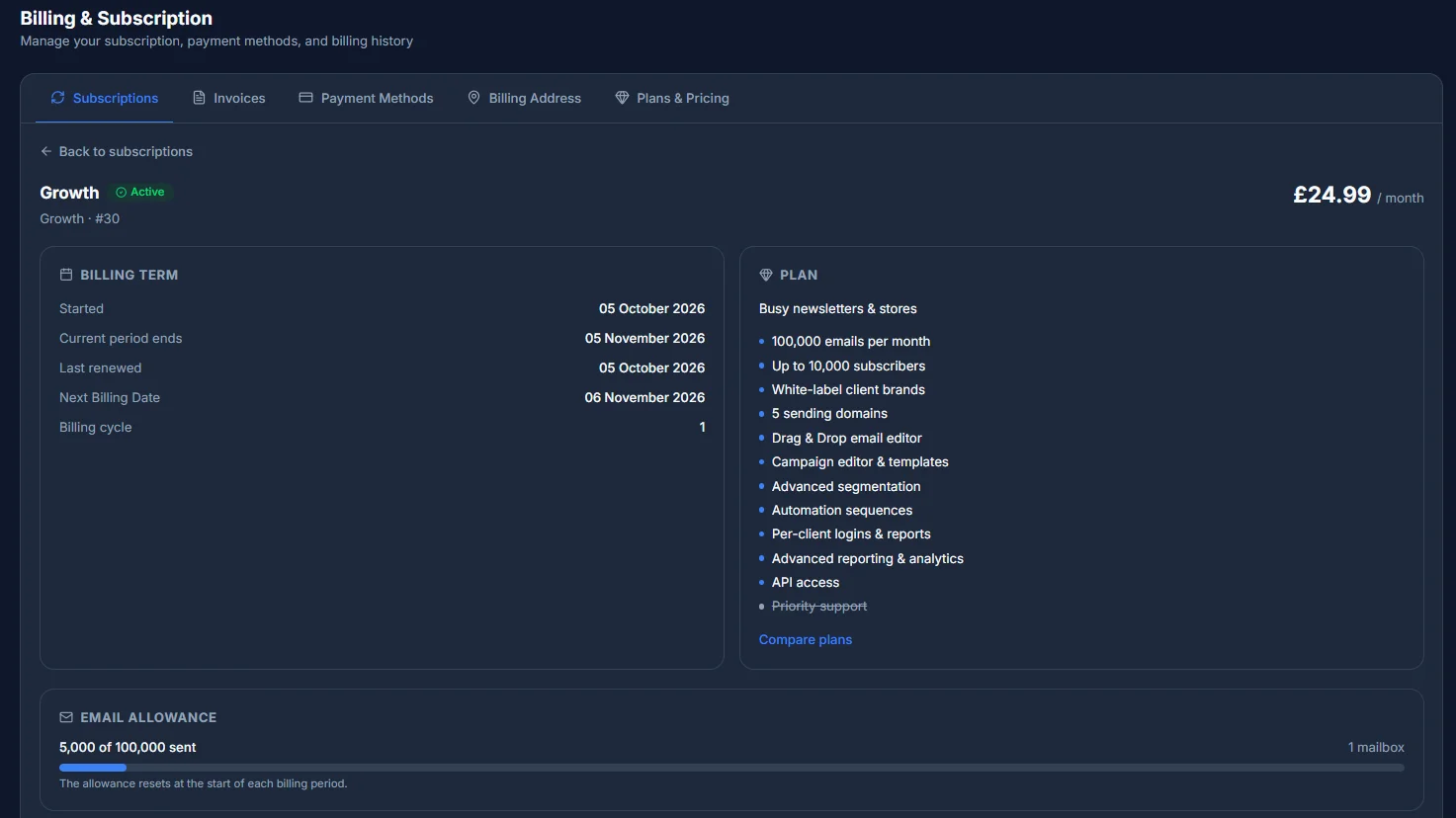
Opening a subscription breaks the same information out into three sections:
- Billing Term - when it started, when the current period ends, when it was last renewed, the next billing date, and the billing cycle.
- Plan - the plan's name, who it's built for, and its full feature list, with a Compare plans link if you want to see how it stacks up against the others.
- Email Allowance - how many of your monthly emails you've sent, with a reminder that the allowance resets at the start of each billing period.
Ready to cancel, or reactivate one you'd already cancelled? How to cancel your subscription →
Want to compare tiers or switch to a different one? Comparing our plans →